
Purchase Order Management: subcontracting work and invoicing suppliers
Subcontract a freight to a supplier, follow the purchase order through its states, and issue the supplier invoice.
What you'll learn from this guide
- What a purchase order holds and where to find it
- How to create one by subcontracting a freight
- How to open a purchase order and act on it
- The states a purchase order moves through
- How issuing the invoice creates the supplier invoice in accounts payable
What is it used for
When you hand a job to a subcontractor, the purchase order is the record of it. It holds the supplier, the tasks you handed over, and what that work costs you.
You use it when you outsource a freight, when you want to see where subcontracted work stands, or when it's time to invoice the supplier for the job.
A purchase order comes from a freight you subcontract, so the work always exists first. After that you can review it, move it along, and invoice the supplier from it.
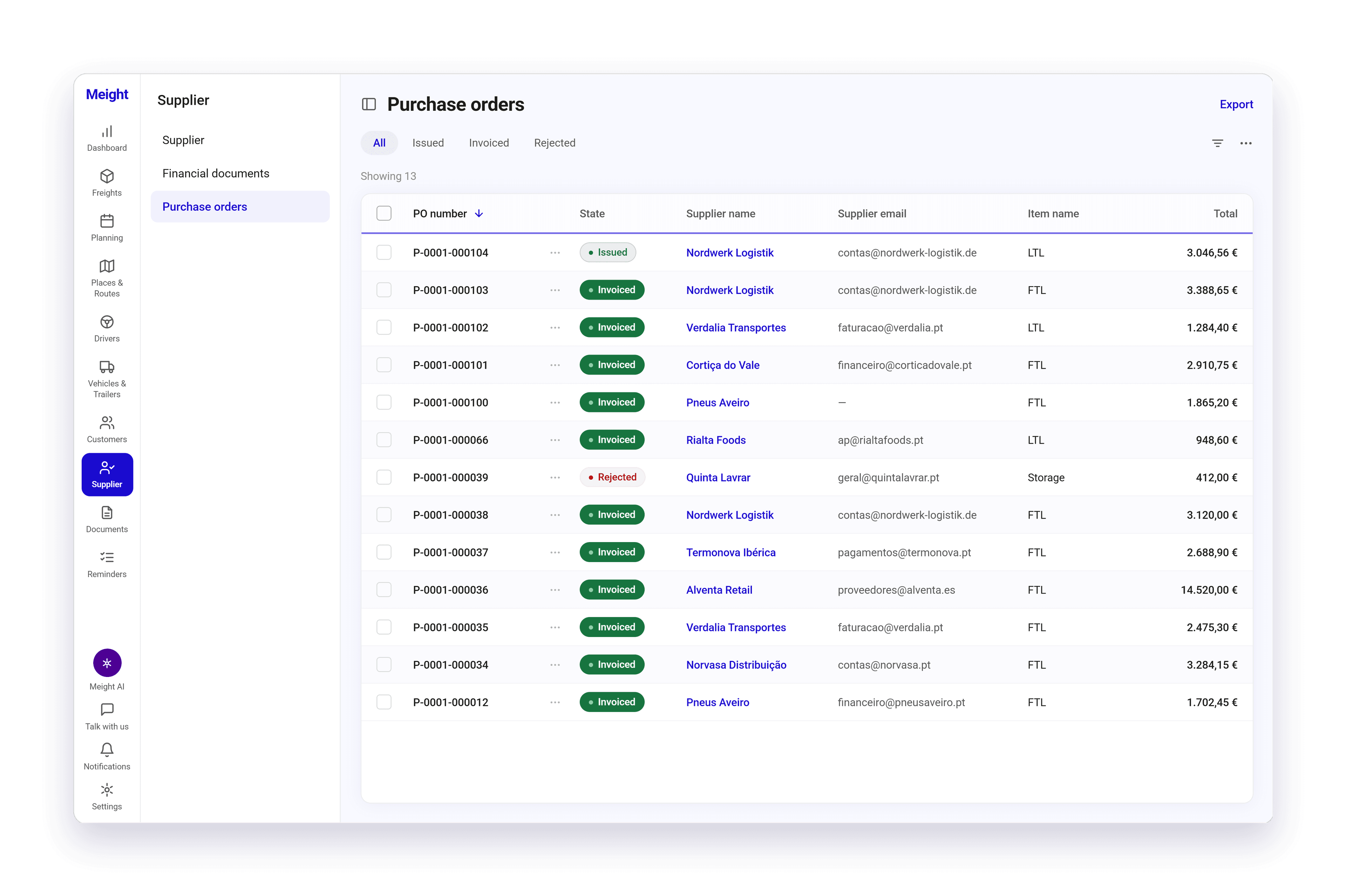
Where to find your purchase orders and what's on one
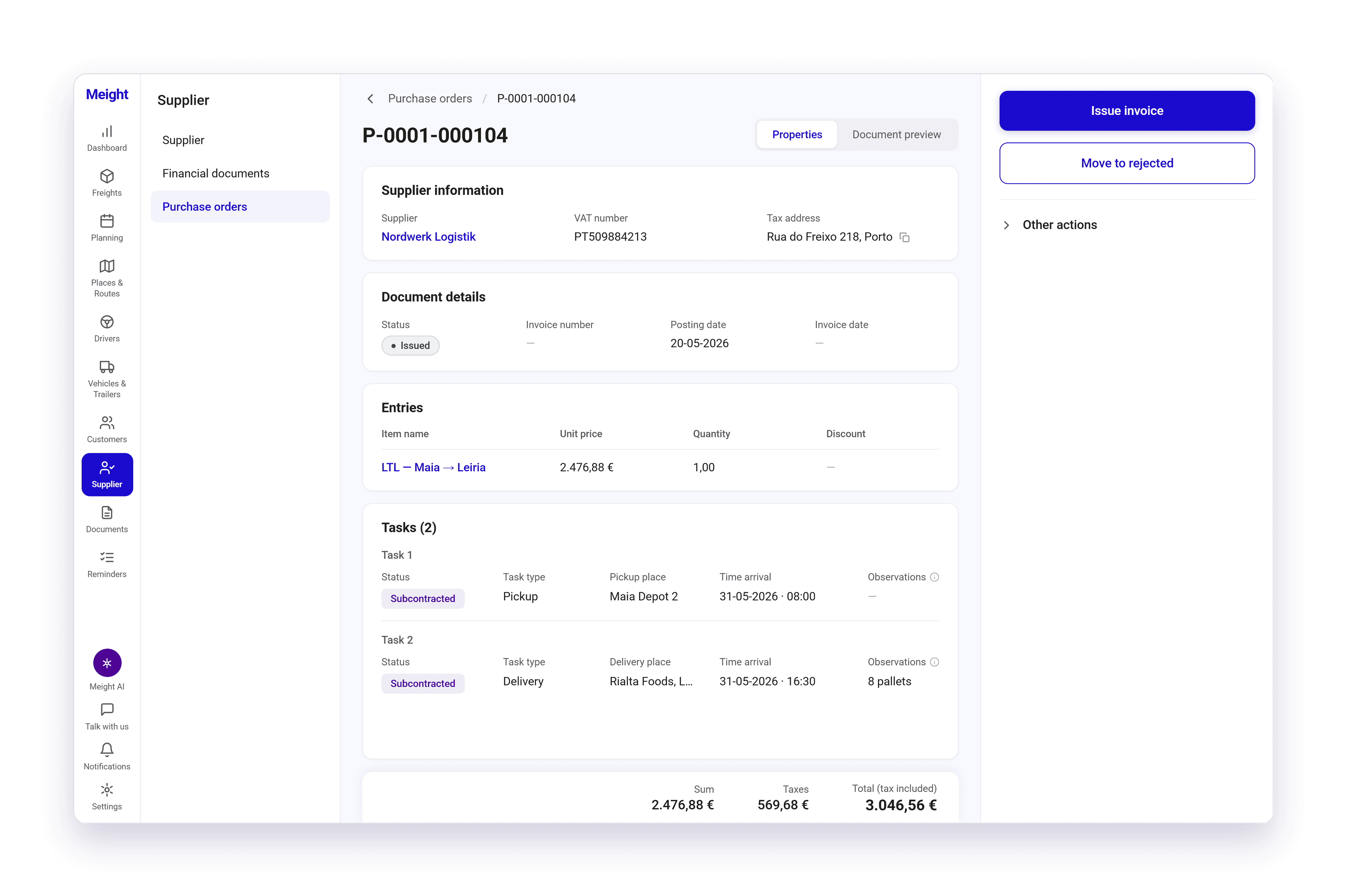
They live under Supplier, on the Purchase orders tab. Select one and it opens as a full page with two tabs, Properties and Document preview.
The Properties tab shows the supplier information, the document details with the status, the invoice number, the posting date and the invoice date, the entries, and the tasks that make up the subcontracted work. Each task carries a state of its own, Subcontracted for example. At the bottom you get the sum, the taxes, and the total with tax included.
The states a purchase order moves through
A purchase order goes Subcontracted, then Issued, then Invoiced. Rejected is the one state outside that sequence.
- Issued — A purchase order has to reach this state before you can invoice it.
- Invoiced — The supplier invoice has been generated.
- Rejected — A purchase order can be moved here from Issued, and moved back to Issued again, so a rejection made by mistake isn't permanent.
How to create a purchase order
Open Freights
Go to Freights. The list opens with your existing freights.
Find the freight you're handing over
Select the three-dots menu on that row to see the freight actions.
Start subcontracting
Select Subcontract. A subcontracting form opens.
Pick the supplier and save
Choose the supplier, check the details, and save. Meight creates the purchase order.
It shows up under Supplier, on the Purchase orders tab.
How to open and act on a purchase order
Open the list
Go to Supplier and select the Purchase orders tab.
Open one
Select it to see the full page, or use the three-dots menu on the row if you only need a quick action.
Check the work
Go through Properties for the supplier, the document details, the entries and the tasks. Document preview shows you the document itself.
Pick an action
The actions are on the right. Issue Invoice and Move to rejected are there, and Other actions covers the rest of the state changes. You only see what the current state allows.
Do several at once
Select more than one purchase order in the list and invoice them together.
How to issue the supplier invoice
This is the step that turns subcontracted work into something you owe. Do it once the work is agreed and the purchase order is in Issued.
Open the purchase order
Go to Supplier, select the Purchase orders tab, and open one that is in Issued.
Issue the invoice
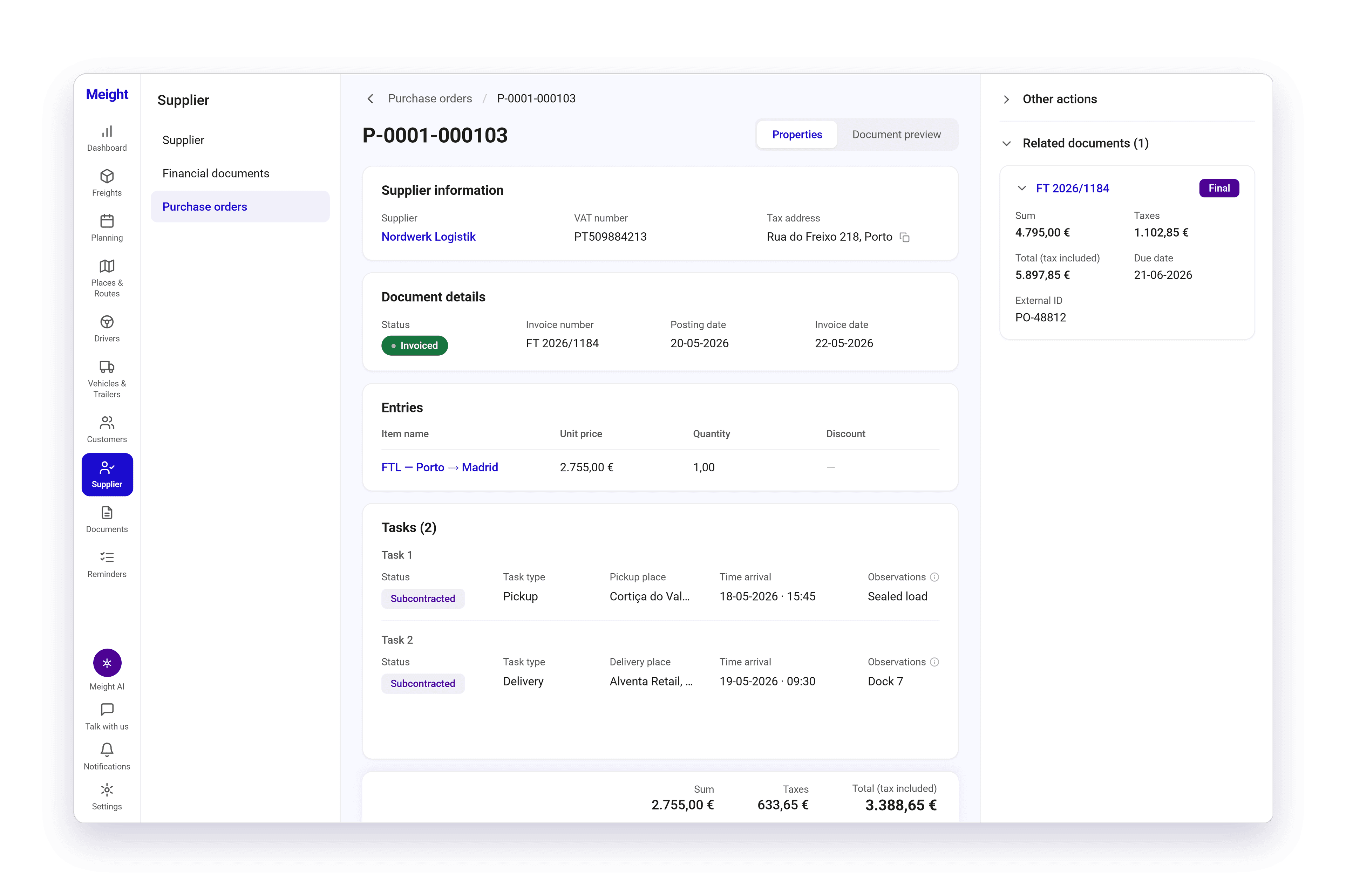
Select Issue Invoice and confirm. The purchase order moves to Invoiced.
See what came out of it
A Related documents panel appears with the accounts payable document, showing its state, sum, taxes, total, and due date.
The same invoice also turns up under Supplier, on the Financial documents tab, so you can get at it from either side.
Why does this matter for your operation?
Subcontracting is often the part of the operation that lives outside the system. A phone call, a price agreed on the spot, a note in someone's inbox. Keeping the job as a record means anyone who needs to know what was handed out can see it, not only the person who arranged it.
When the subcontractor's invoice arrives, you already have what was agreed. The stops, the load and the price were fixed when the work was handed over, so you can check the invoice against the job instead of going back through messages to work out which run it covers.
You can also see which subcontracted jobs have already been invoiced and which are still open, without keeping a separate list on the side.