
Meight Exchange: publishing and finding loads
Publish loads for verified companies to see, find loads to carry, and send your price on any open listing.
What you'll learn from this guide
- What Meight Exchange is
- How to publish a load and when it appears on the market
- How to find loads and send a proposal
- Where to follow the proposals you receive
What is it used for
Meight Exchange is a freight exchange for shippers, freight forwarders and carriers in Portugal and Spain. You use it to publish loads that need transport, find loads to carry, and agree a price through proposals.
Shippers and freight forwarders publish the loads they need moved and receive every carrier's proposal on the listing, without contacting each carrier. Carriers find loads for trucks that would otherwise run empty, and can publish a free truck so shippers find them.
How to publish a load
Start a new load
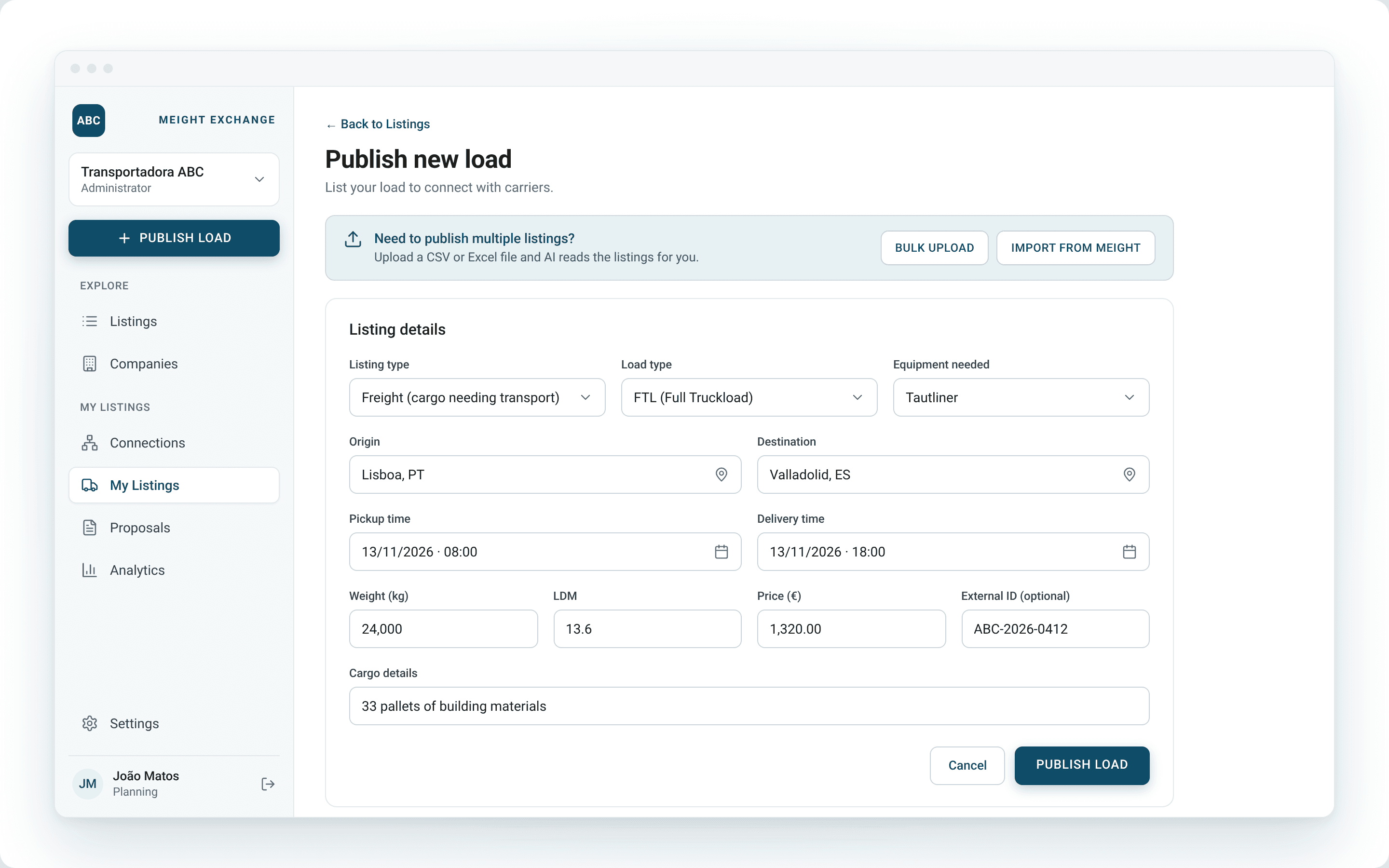
Select Publish load in the sidebar. The Publish new load page opens.
Choose the listing type
Under Listing type, select Freight (cargo needing transport).
Choose the load type
Under Load type, select FTL (Full Truckload) or LTL. Select the Equipment needed if the load requires a specific vehicle.
Add a reference and price
Enter your own reference in External ID if you use one. Enter a Price (€) if you want carriers to see one.
Enter the route
Fill in the Origin and Destination, then the remaining details of the load.
Publish
Select Publish load. It appears in My Listings, under Open.
If your workspace is connected to Meight, you can publish several loads at once with Bulk upload from a CSV or Excel file, or select Import from Meight to publish freights you already have there.
When your loads appear on the market
You can publish loads and share them by link as soon as you sign up. Your loads appear on the market once your company is verified, including its approved NIF or VAT number. Until then, a notice at the top of the Publish new load page tells you the number is still being validated.
Each listing shows the company that published it under Advertiser, with a Verified mark for verified companies.
How to find loads and send a proposal
Open the listings
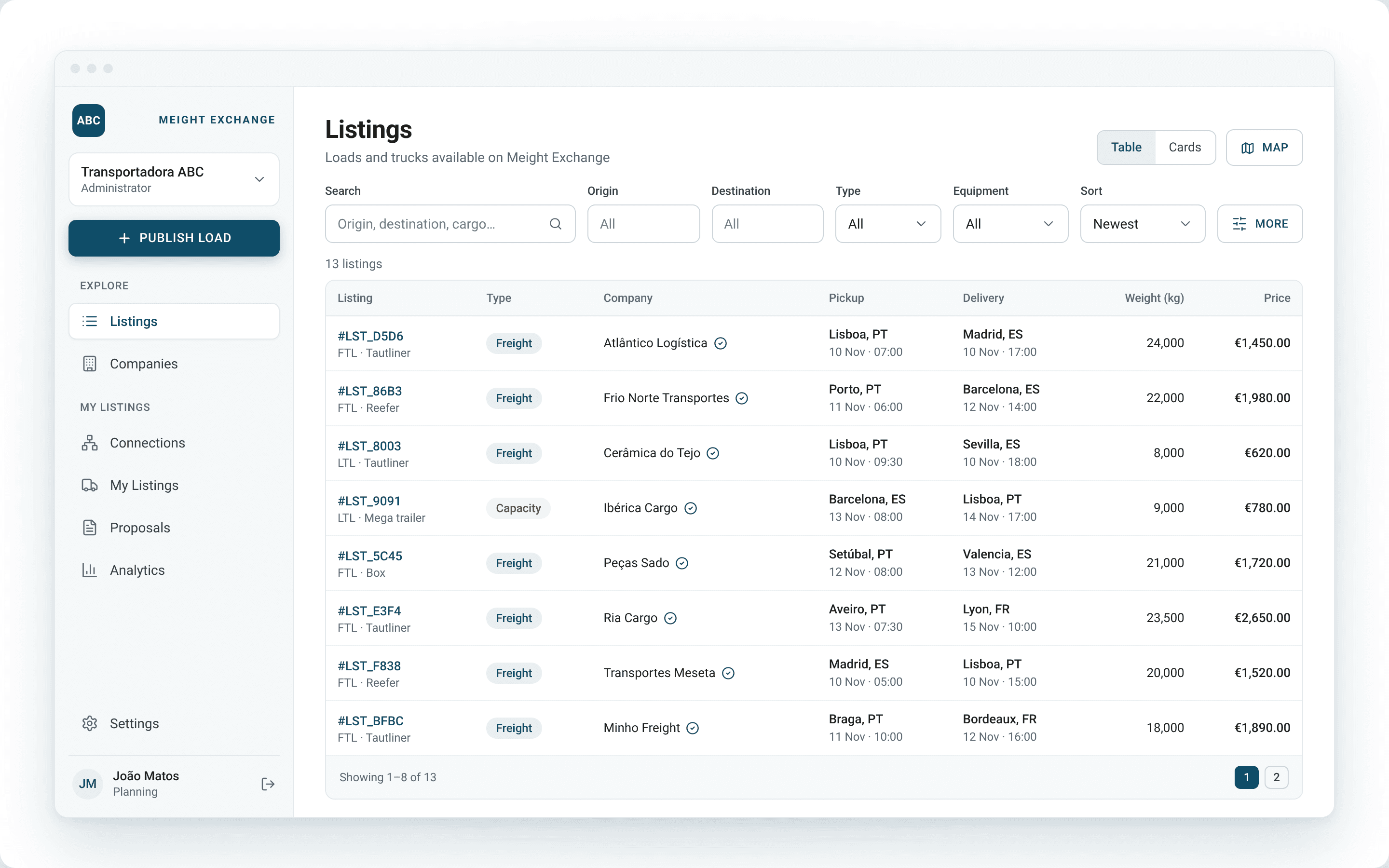
Select Listings in the sidebar. Every open listing on Meight Exchange appears in a table.
Filter the results
Use Search, Origin, Destination, Type, Load Type and Equipment to narrow the list, and Sort to order it. Select More for further filters, Cards for a card view, or Map to see the listings on a map.
Open a listing
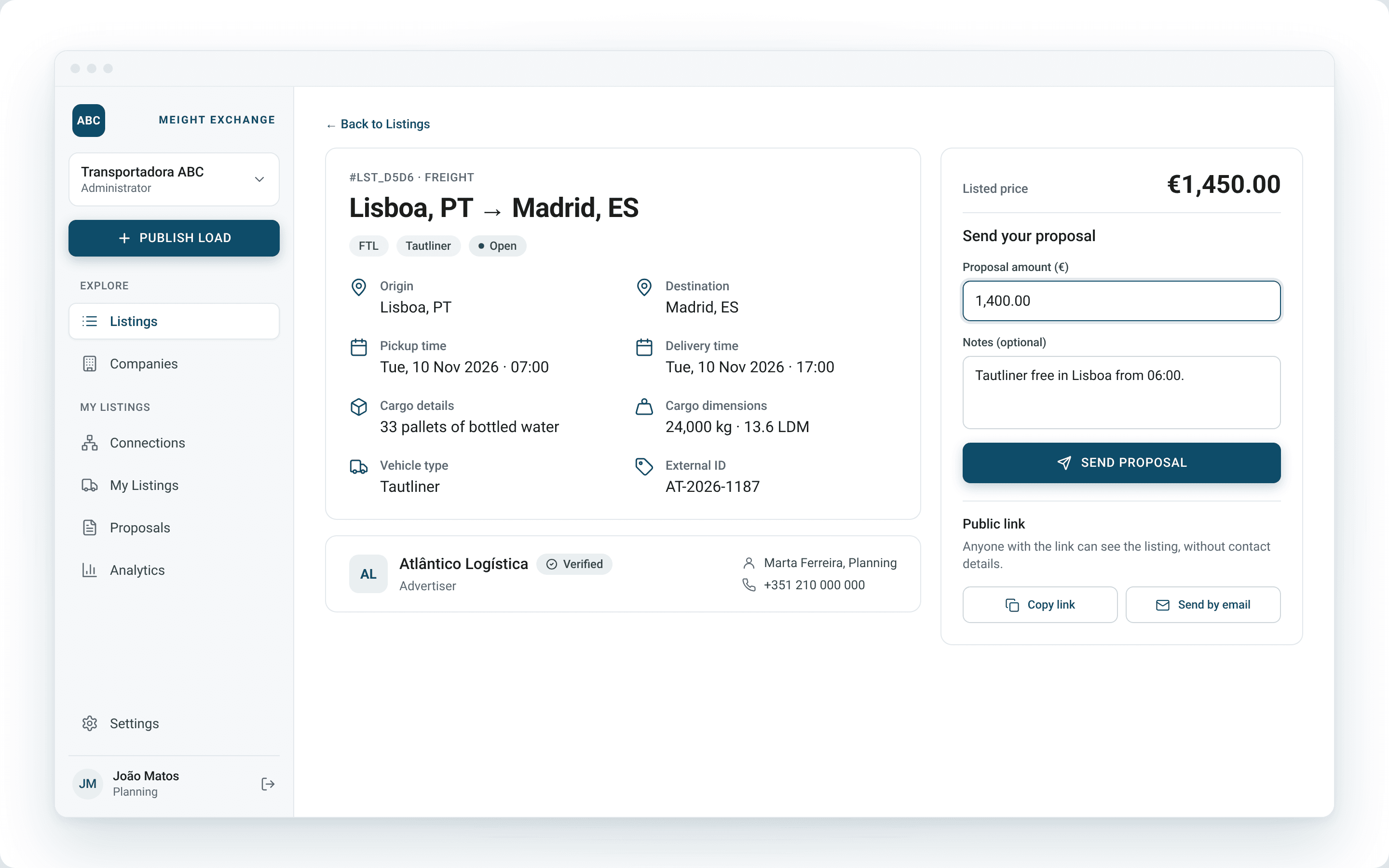
Select a listing to see its route, pickup and delivery times, cargo details, dimensions and vehicle type.
Send your price
Under Send your proposal, enter the Proposal amount (€) and add Notes if needed. Select Send proposal.
To pass a listing on, select Copy link to copy it for WhatsApp or any other channel, or Send by email. Anyone with the link can see the listing.
Following your loads and proposals
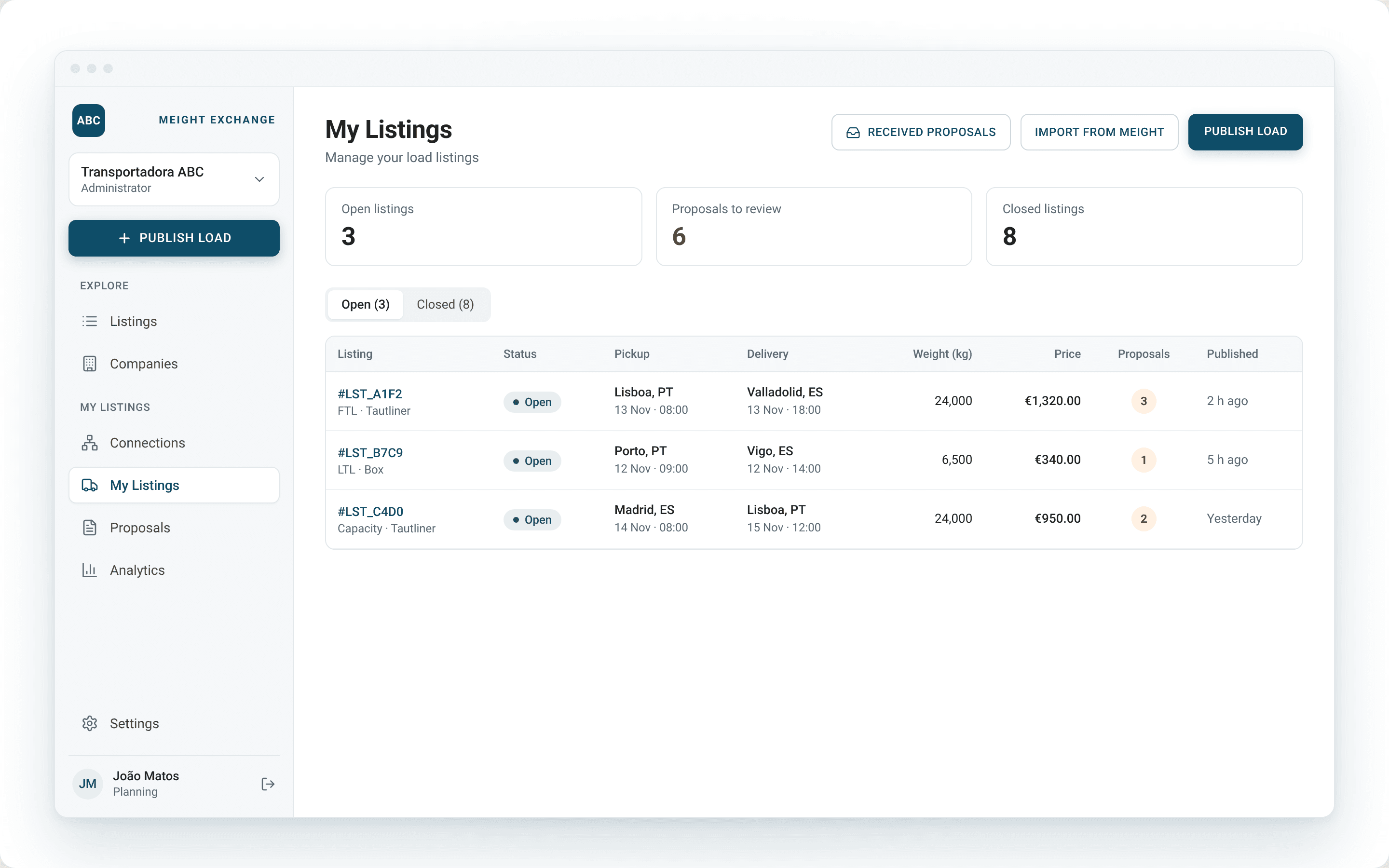
Your own loads are in My Listings, split into Open and Closed. The table shows how many proposals each load has received. Select Received proposals to see the proposals on your loads.
Why does this matter for your operation?
Loads you would otherwise send out by phone, email or WhatsApp are in one place where carriers can find them, and every price comes back on the same listing. Comparing offers starts from a complete list rather than from calls and messages pieced together afterwards.
Every company on the market has an approved NIF or VAT number and is marked as verified on its listings, so you know who you are dealing with before you agree a price. Carriers can also send a proposal from the public link without creating an account first, so a load you share outside the exchange still brings prices back to the listing.
For companies on Meight, freights already in the platform reach the exchange without being entered twice.